
IT modernization usually starts with a familiar feeling: the environment still works, but everyone knows it’s getting harder to support. Systems are aging. Security requirements are growing. Cloud adoption has become uneven. Teams are spending too much time maintaining old infrastructure instead of improving the business. At some point, leaders realize the organization cannot keep building the future on top of a foundation designed for the past.
But starting an IT modernization initiative too quickly can create its own problems. Buying new tools before understanding the current environment can lead to wasted spend, stalled migrations, security gaps, and frustrated teams. Modernization works best when leaders pause first and ask the right questions.
Before launching an IT modernization initiative, leaders should assess the business reason for change, the health of the current environment, the organization’s security posture, application dependencies, resiliency needs, operational readiness, and the path to execution. In other words, the goal is not simply to replace old technology with new technology. The goal is to build a stronger, safer, more scalable environment that supports the business with confidence.
IT Modernization Readiness Assessor
Answer four questions to estimate the likely complexity of your modernization initiative.
50%
18 months
Complexity Score
0/100
Standard Complexity
Standard Complexity
You have a solid starting point. Validate assumptions and build a phased roadmap before execution.
Table of Contents
Start With the Business Reason, Not the Tech
The first thing leaders should assess is the business reason for modernization. “Our infrastructure is old” may be true, but it is not enough. The better question is: what is that aging infrastructure preventing the organization from doing?
Maybe it is slowing down users or making security harder to manage. Maybe outages are becoming more likely or cloud adoption has outgrown the original architecture. Maybe the business wants to scale, but the current environment cannot support the next stage of growth.
A clear business reason helps teams make better decisions. It also keeps the project from turning into a disconnected set of upgrades.
A few common modernization drivers include:
- Improving uptime and business continuity.
- Reducing security risk and improving visibility.
- Supporting cloud, hybrid work, or digital services.
- Replacing end-of-life infrastructure.
- Reducing operational complexity and technical debt.
- Improving performance for users and applications.
Once leaders understand the main driver, they can prioritize the right work. A modernization effort focused on resiliency will look different from one focused on zero-trust security. A project built around growth will look different from one built around cost reduction.
Take a Hard Look at What’s Really Holding IT Back
If you completed the above IT Modernization Readiness Assessor, your complexity score is a useful starting point. However, no matter where your score landed, the next step is the same: look honestly at what is happening inside the current environment.
This should go beyond a basic asset inventory. A list of devices, licenses, and platforms is useful, but it does not show how the environment behaves under pressure. The assessment should uncover how systems connect, where dependencies exist, which platforms are near end of life, what is undocumented, and where teams rely on manual workarounds. These details often reveal the real modernization risks.
Technical debt builds slowly. A temporary fix becomes permanent. A delayed upgrade becomes normal. A firewall rule gets added during an emergency and never reviewed. A legacy application stays in production because no one is completely sure what will happen if it moves.
Over time, the environment becomes harder to secure, harder to troubleshoot, and harder to change.
We saw this firsthand while helping a large credit union modernize an aging data center environment. On the surface, the issue looked like an infrastructure refresh: the existing data center was becoming harder to support, and power and cooling problems were creating business continuity concerns. But a deeper look showed that the challenge was broader. The environment also carried scalability limits, rising operational costs, and security gaps that needed to be addressed together. By assessing the full current state before moving into design, KNZ helped the client modernize in a way that strengthened their environment rather than simply replacing old technology with newer equipment. [showcase 3cu]
Treat Security as a Requirement From Day One
Security should not be added after the modernization plan is already built. Every modernization decision changes risk. Moving workloads, redesigning network paths, refreshing firewalls, adding cloud services, or changing remote access can improve security, but only if security is part of the design from the beginning.
Leaders should assess what the organization can see, control, and enforce today. They should understand where sensitive data lives, how users access systems, how traffic moves between applications, and whether current policies still match the business.
This is especially important because most modern IT environments are distributed. Applications may run across data centers, cloud platforms, SaaS tools, branch locations, and remote user environments. If visibility does not follow that complexity, modernization can create blind spots.
Security assessment should focus on practical areas such as:
Visibility
Can teams see traffic, access patterns, policy gaps, and unusual behavior?
Segmentation
Are critical systems separated from lower-trust areas of the environment?
Cloud control
Are cloud traffic paths inspected, governed, and monitored?
Policy quality
Do firewall and access policies reflect how applications actually behave?
Response readiness
Can the team detect and act quickly when something changes?
Leaders do not have to solve every issue before the initiative starts, but they do need to understand the risk. Modernization should reduce exposure, not move old security problems into a newer architecture.
Find the Hidden Dependencies Before They Find You
Applications are often where modernization becomes more complicated than expected. A server may look easy to migrate, but the application running on it may depend on an old database, a specific firewall rule, a hardcoded IP address, a file transfer process, or an integration owned by another team.
Before anything moves, leaders should understand which applications are critical, where they run, who owns them, what data they use, and what systems they connect to. This is where hidden risk often appears.
One Application Can Have More Dependencies Than You Think
0
Critical Application
0
Connected Systems
0
Security Touchpoints
0
Business Teams Impacted
Data deserves special attention. Sensitive data may carry privacy, compliance, contractual, or audit requirements. Large datasets may affect migration timing. Applications with strict latency needs may perform poorly if they are moved without careful planning.
This is also where modernization becomes more strategic. Not every workload should follow the same path. Some may be ready for cloud. Others may belong in a modernized data center. Some may be candidates for consolidation. Others may need stronger controls because they are too important or too fragile to treat casually. The goal is to avoid surprise during execution. By the time migration begins, leaders should already understand what each critical workload needs to function properly and what could happen if it does not.
Know How the Business Will Recover When Systems Fail
IT modernization should make the organization more resilient. That means leaders need to assess disaster recovery, high availability, backup strategy, failover processes, and recovery testing before finalizing the modernization roadmap.
It is easy to assume the organization is prepared because backups exist or a DR plan is documented. But the real question is whether critical applications can be recovered in the right order, within the required time, and with confidence.
A resiliency review should look at:
– Recovery time expectations for critical systems
– Recovery point expectations for important data
– Backup reliability and restore testing
– Failover procedures and application startup order
– Disaster recovery test results and known gaps
– Communication plans during an outage

Make Sure Your Team Can Run What You Build
An IT modernization initiative does not end at go-live. In many ways, that is when the real test begins. The organization has to operate, secure, monitor, troubleshoot, and improve the new environment after implementation.
Leaders should assess whether internal teams have the skills, tools, documentation, and capacity to support the future state. A modern architecture that only outside experts understand can quickly become a new risk. It may be technically better, but if the internal team cannot manage it confidently, the organization may struggle.
The handoff should include more than a quick knowledge transfer meeting. It should prepare the team for real operational ownership.
KNZ helped a global organization address this type of challenge when they were recovering from a stalled security initiative. The client had already spent 18 months working with another provider on a single-technology approach, but the effort had not achieved the desired outcome and had caused multiple outages. We assessed the environment and found that the issue could not be solved with one tool alone. The right path required a more holistic design, stronger visibility, policy enforcement, and customized training so the client’s team could support the solution after implementation. By combining multiple technologies with formal knowledge transfer, we helped the organization correct the security vulnerability and gain a platform the team could actually use to manage segmentation over time.
Build a Roadmap Before the First Major Move
Once leaders understand the business goals, current state, security posture, dependencies, resiliency needs, and operational readiness, they can build a practical roadmap.
A roadmap is not just a project timeline. It is a way to sequence work, reduce risk, and make better decisions. It should show what happens first, what can wait, what carries the most risk, and how progress will be measured.
A strong modernization roadmap usually includes these stages:

Budget and procurement should be part of this roadmap. Leaders need to understand the full cost of modernization, including assessment, design, implementation, migration, testing, training, documentation, support, renewals, and lifecycle management.
Success measures should also be defined before execution begins. A modernization project should not be judged only by whether new technology was deployed. It should be judged by whether the business is better off.
Modernize With Clarity, Not Guesswork
IT modernization should never feel like a leap of faith. Before making major investments, leaders need a clear view of what the business needs, what the current environment can no longer support, and what the future state must make easier. The best modernization initiatives start with that clarity. They uncover hidden risks early. They connect technical decisions to business goals.
That same thinking should guide vendor selection. The right partner should not only offer strong technology. They should help your team make confident decisions, reduce complexity, and build an environment that can grow with the business.
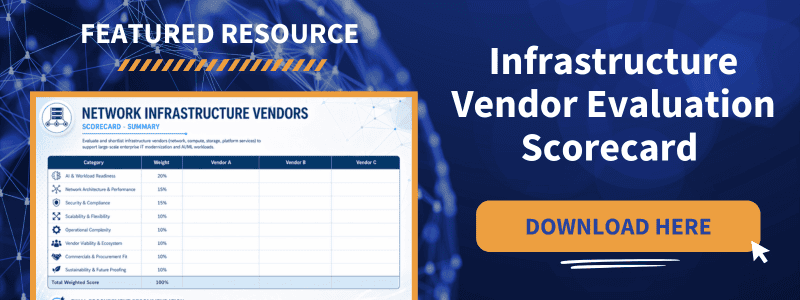
To support that process, download our Infrastructure Vendor Evaluation Scorecard. It gives your team a way to compare vendors through a more practical lens and choose a modernization partner with confidence.
Related Articles:


About the Author:
KNZ Solutions is a systems integrator that provides strategic IT advisory and infrastructure expertise. We help organizations modernize their technology environments, strengthen security and data governance, and gain greater visibility into the systems that power their business.


